Usage analytics
Usage analytics is the page your CFO will care about. It tracks every quota in your plan and projects when you’ll hit each.
In this guide:
- Open Usage analytics
- The four quotas
- Forecasts
- Buy more or upgrade
Step 1: Open Usage
Analytics → Usage (or Settings → Billing → Usage for billing-focused views).
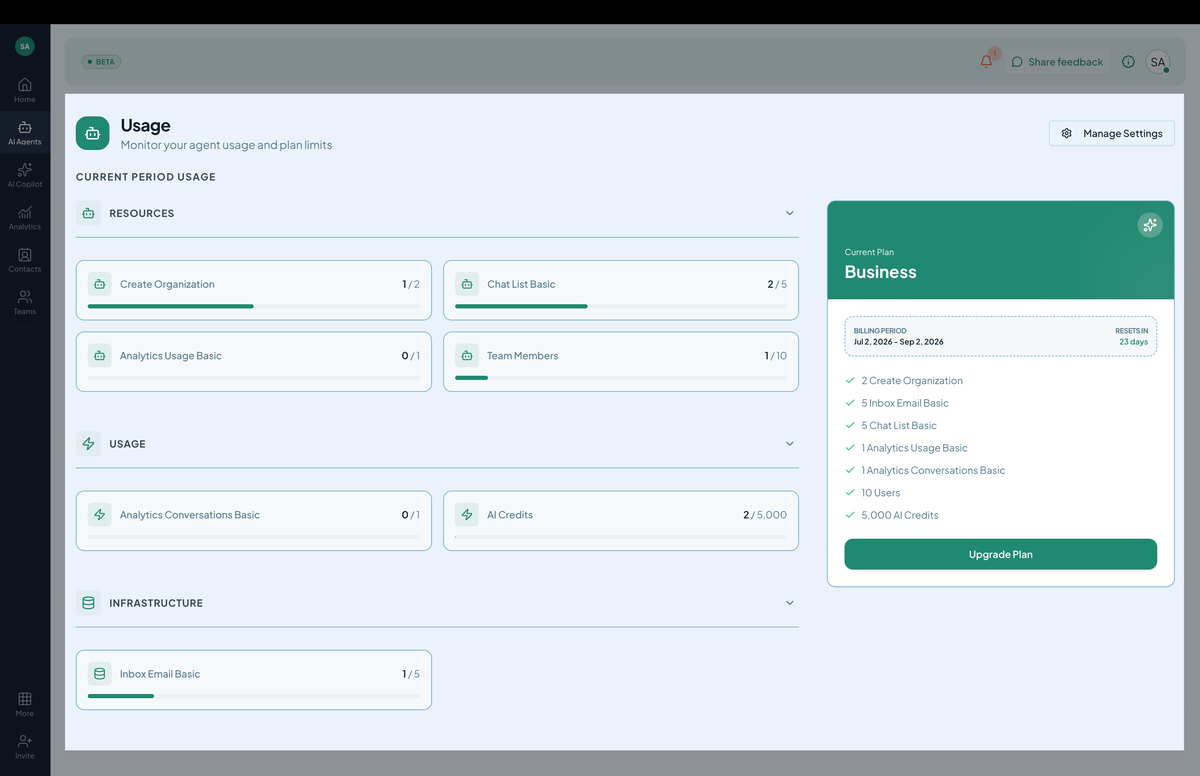 Screenshot: Usage charts showing message, knowledge, and action quotas.
The four quotas
| Quota | What counts | Reset |
|---|---|---|
| Messages | Every chatbot reply, on any channel. | Monthly. |
| Knowledge | Total trained content size in bytes. | Doesn’t reset; absolute cap. |
| Action calls | Successful AI Action executions. | Monthly. |
| Members | Active members in the org. | No reset; cap. |
Each shows current usage / total allowance / forecasted end-of-period.
Forecasts
The dashboard projects your end-of-month usage based on current run rate:
- Green — comfortably within plan.
- Amber — likely to exceed in the next 7 days.
- Red — already exceeded or will in the next 24 hours.
Forecasts use a 7-day rolling average. Weekend dips and Monday spikes are normalized.
Step 2: When you’re approaching a quota
Three options:
- Buy an add-on — one-time or monthly capacity boost. → Add-ons
- Upgrade your plan — long-term solution. → Plans & subscriptions
- Turn on auto-recharge — automatic message-pack purchases. → Auto-recharge
Per-chatbot breakdown
Below the org-level totals, each chatbot has its own row showing its share of usage. Use this to identify high-cost bots and either tune their behavior or move them to a different organization.
Channel and integration breakdowns
Filters on this page:
- By channel — see if WhatsApp is using more messages than the web widget.
- By integration — Zendesk action calls vs. Salesforce action calls.
- By chatbot — per-bot consumption.
Historical view
Toggle Last 12 months to see month-over-month consumption. Useful for budgeting next year’s plan.
Tips
- Set up auto-recharge for messages. Hitting your message cap mid-month means the bot stops responding — nobody wants that surprise.
- Knowledge quota is the hardest to expand mid-month. Plan ahead — when you’re at 80%, prune or upgrade.
- Action calls cost money on the destination too. Some external APIs (Stripe, Salesforce) have their own rate limits and costs. Hilal’s quota tracks usage on our side; track the external APIs separately.