Snippets & long-form articles
Some knowledge doesn’t live in a website or document — you want it written here, where you can edit it without re-uploading. That’s snippets and articles.
- Snippets — small editable text blobs, like flashcards. Use for FAQ answers, refund policy, hours of operation.
- Articles — long-form HTML content with a title and body. Use for a custom help-doc you don’t have anywhere else.
Both types are the only knowledge sources you can edit in place — every other source requires re-upload or re-crawl.
In this guide:
- Add a snippet
- Add an article
- Edit existing
- When to pick which
Step 1: Add a snippet
Open Knowledge base → Add knowledge source → Snippet.
Type or paste a short text — typically 1–3 sentences, up to a paragraph. Snippets work best when each one answers one concrete question.
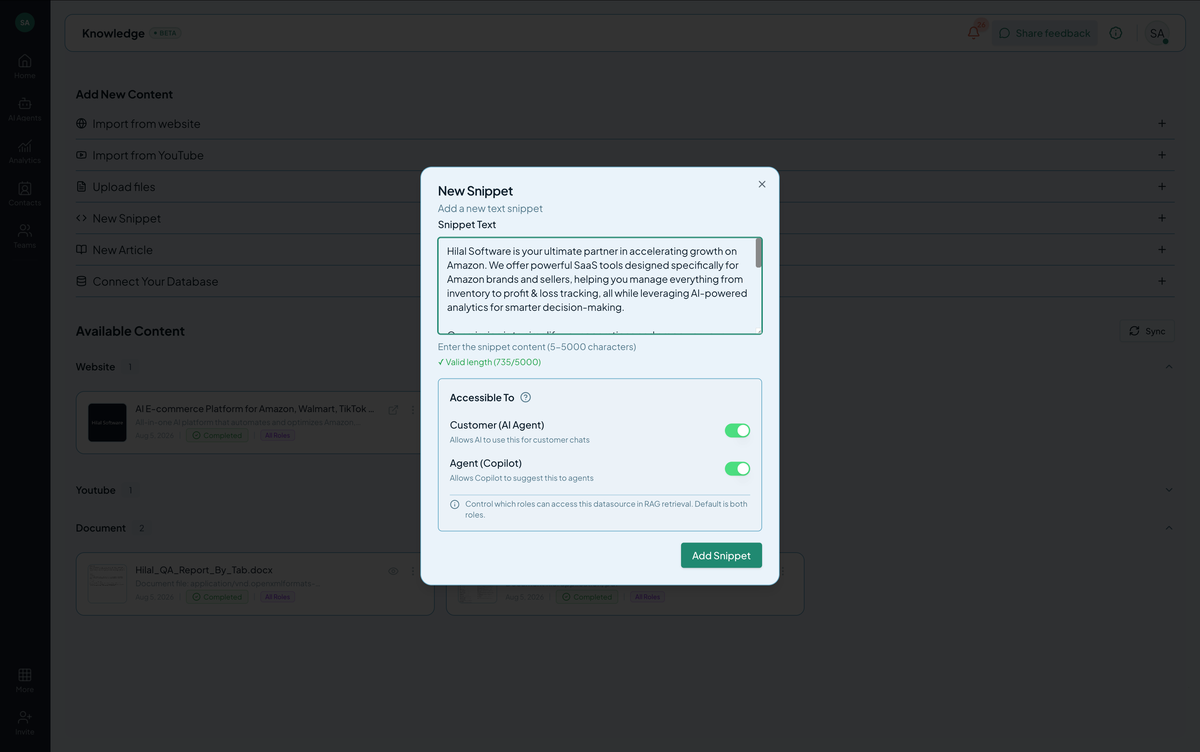 Screenshot: The snippet editor.
Click Add. The snippet trains within seconds (no crawl needed).
Step 2: Add an article
Open Knowledge base → Add knowledge source → Article.
You’ll get a rich-text editor with title and body fields. Use it like a docs editor — headings, lists, links, code blocks.
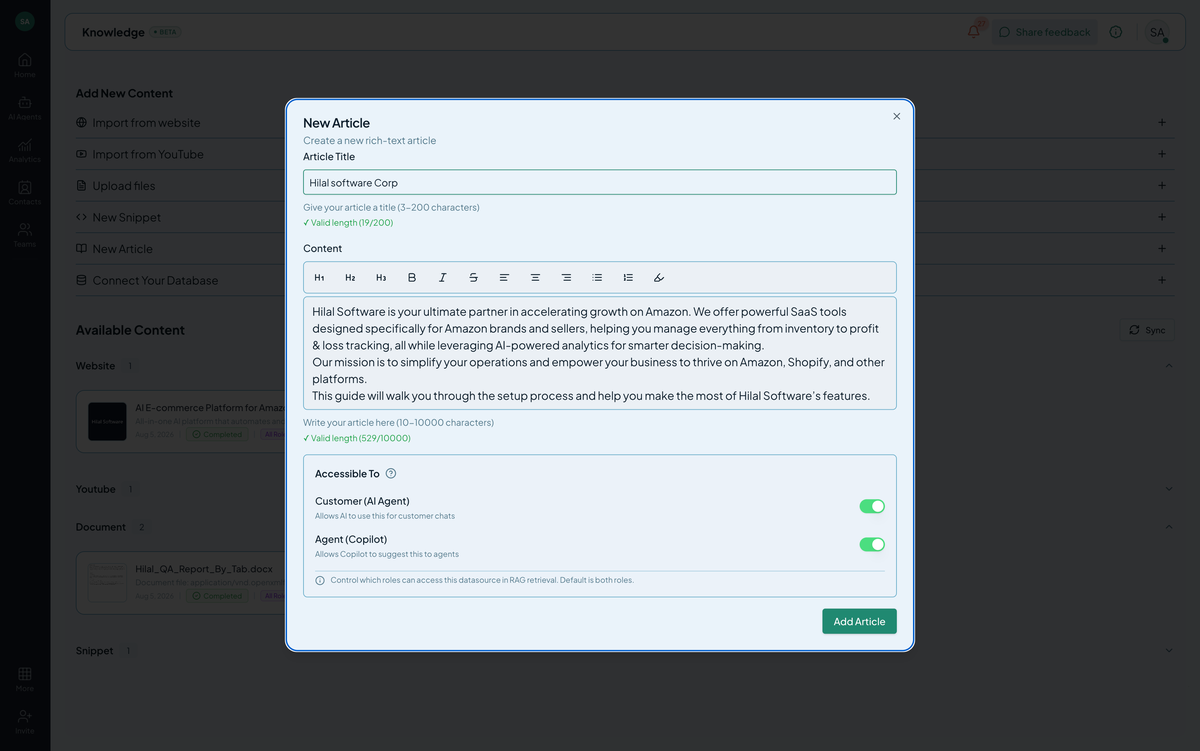 Screenshot: The article editor.
Click Add. Articles take a moment longer to train than snippets but still complete in under a minute.
Step 3: Edit existing
Click any snippet or article row in the source list. The editor opens with the current content. Save and the source re-trains automatically.
Snippet vs. article — when to pick which
| Need | Pick |
|---|---|
| FAQ answer (1–3 sentences) | Snippet |
| Refund / shipping / hours policy | Snippet |
| Step-by-step how-to that doesn’t fit on your docs site | Article |
| Custom internal policy | Article |
| You’ll edit this regularly | Either — both are editable |
| You want headings and lists | Article |
Tips
- One concept per snippet. A snippet that answers two questions will get retrieved for one and feel off-topic for the other.
- Title articles like search queries. “Refund policy” beats “Policy article #1”.
- Cite real numbers and dates. “Standard shipping arrives in 3–5 business days within the US” beats “soon”.
Troubleshooting
- Snippet not showing up in answers. The content might not match the user’s wording. Re-phrase the snippet to use vocabulary your customers actually use.
- Article trained but body looks empty. Check that you didn’t accidentally save a draft. Re-open and verify the body field has content.