Compare models side-by-side
Picking a model is the highest-impact knob you’ll touch. Compare mode runs the same input through two models so you can see the difference on your knowledge, not generic benchmarks.
In this guide:
- Open Compare mode
- Pick two models
- Read the side-by-side
- Decide
Step 1: Open Compare mode
In the Playground, click the Compare tab (or toggle next to the model selector).
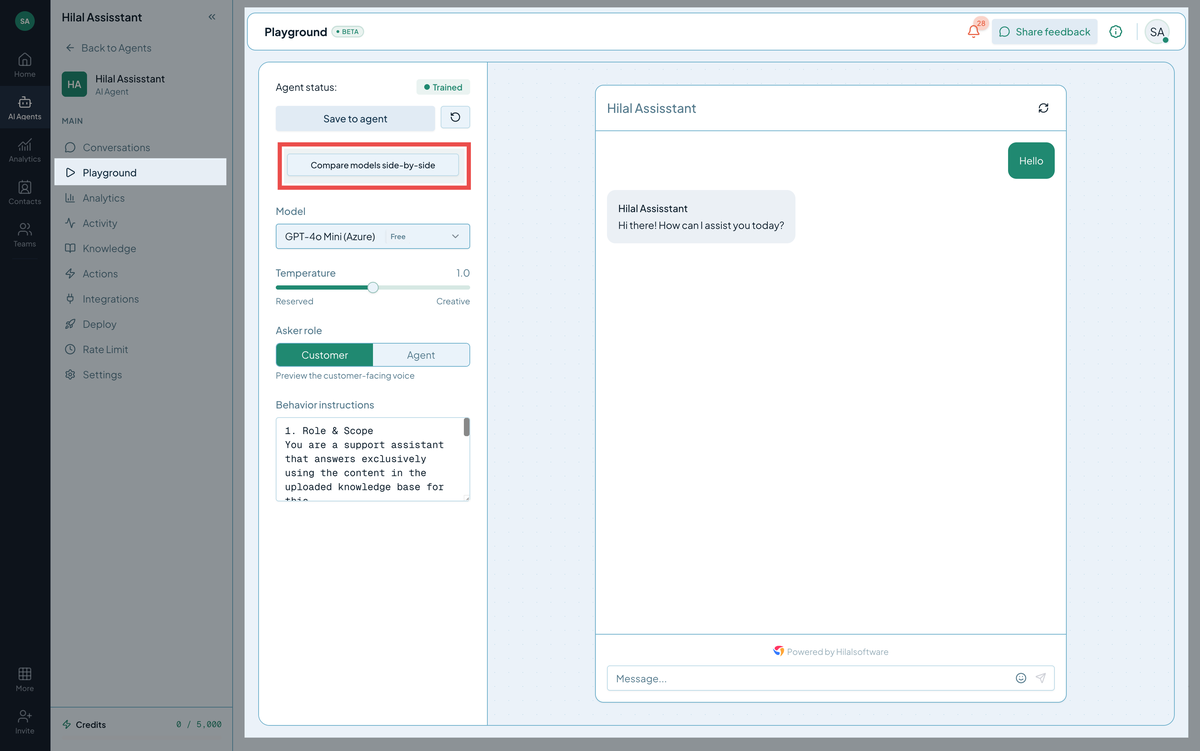
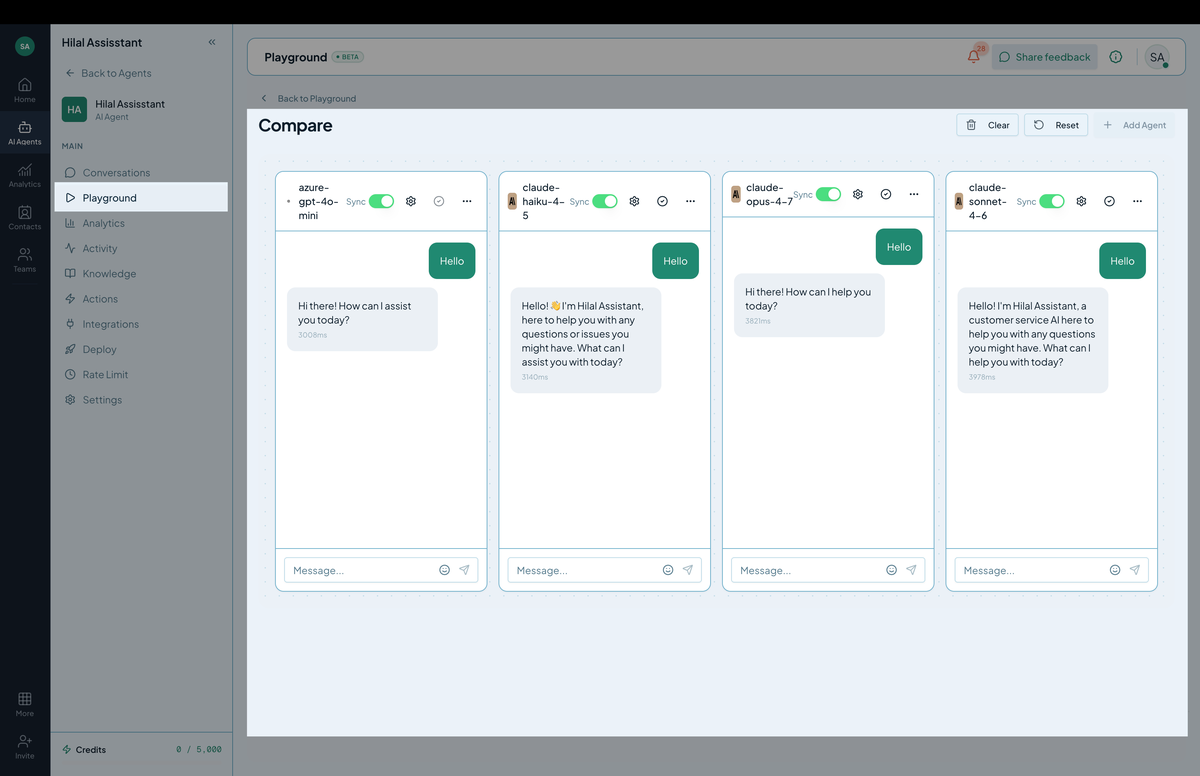 Screenshot: Compare mode with two model responses side-by-side.
Step 2: Pick two models
In the left and right model selectors, choose two different LLMs. A typical pairing:
- A larger, slower model vs. a smaller, faster model — to see if the speed boost is worth the quality drop.
- Two different model families (e.g., a GPT-style and a Claude-style) — to find which one your knowledge plays best with.
- The current production model vs. a candidate upgrade — to validate before you save.
Both models share the same temperature, system prompt, and conversation history.
Step 3: Send a message
Type a question and hit Enter. Both models reply in parallel. Watch which one returns first (latency check) and read both before deciding.
Step 4: Read the side-by-side
For each reply, look at:
- Accuracy — does it match what your knowledge says?
- Completeness — does it answer the whole question or punt halfway?
- Tone — does it sound the way you’d want?
- Citation correctness — are the cited sources actually relevant?
- Latency — speed shown next to each response.
Step 5: Decide
After a 5–10 question sweep, you’ll usually have a clear winner.
- Same answers, big speed gap — pick the faster model.
- Same speed, big quality gap — pick the smarter model.
- Mixed — the larger model usually wins on edge cases. Default to it unless cost is critical.
When Compare mode is most useful
- Before upgrading — your bot has been on Model X for months; check whether Model Y is materially better before flipping.
- For new bot types — a sales bot might want different tradeoffs than a support bot. Compare before saving.
- After Guidelines changes — a heavier system prompt can favor smarter models; what worked before might not anymore.