Knowledge Base Management
Overview
The Knowledge Base is where you train your chatbot using your own content — websites, videos, files, and custom-written text. This content helps your chatbot provide accurate, relevant, and consistent answers to users.
Accessing the Knowledge Base
- Open your chatbot
- Navigate to the Knowledge Base tab
- Use the Add New Content section to add or manage knowledge sources
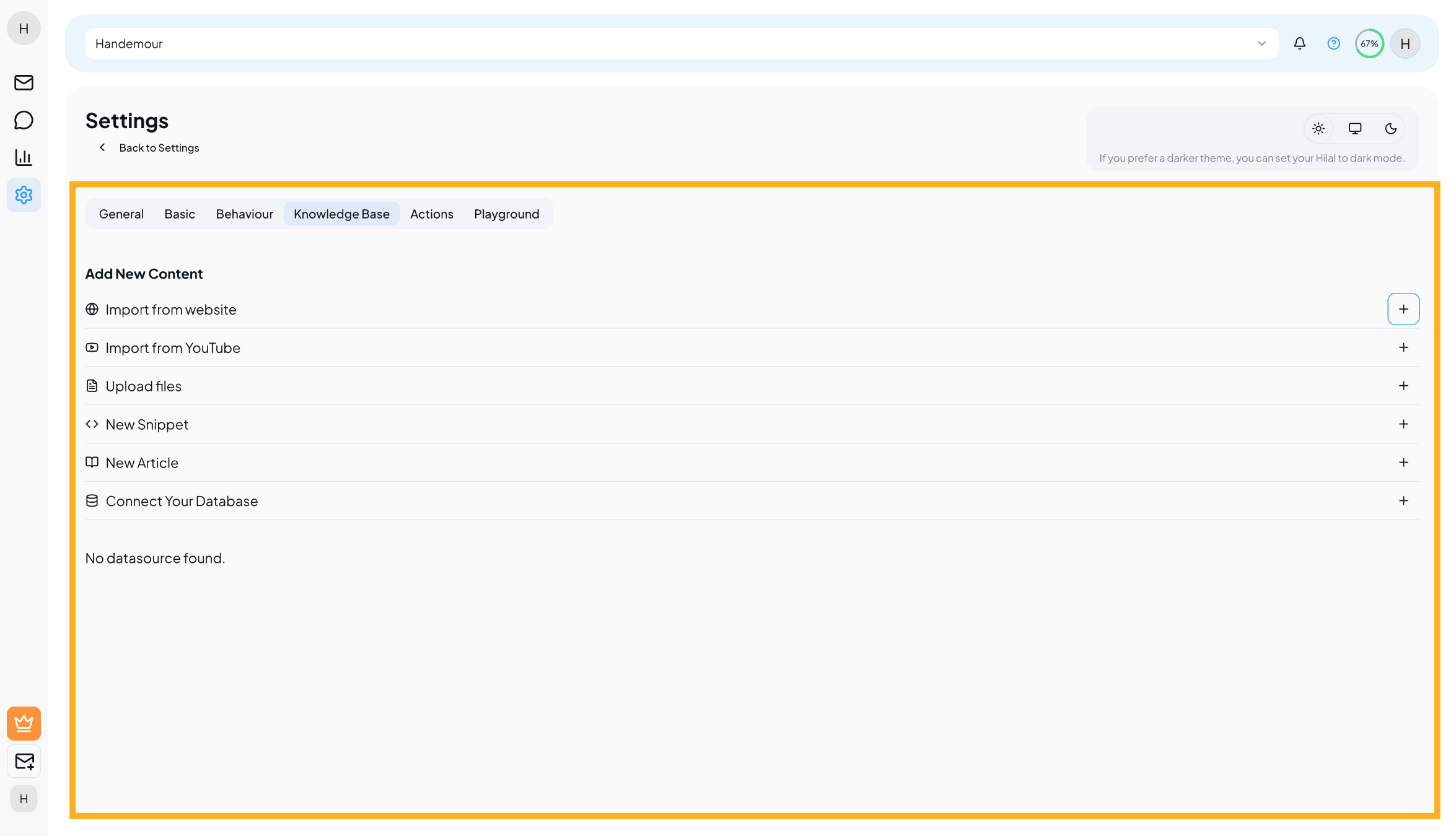
Adding New Content
Import from Website
Use this option to train your chatbot using content from public web pages.
How it works:
- Click Import from website
- Click Add URL to add one or more website links
- Enter valid website URLs (for example:
https://example.com) - Click Add websites
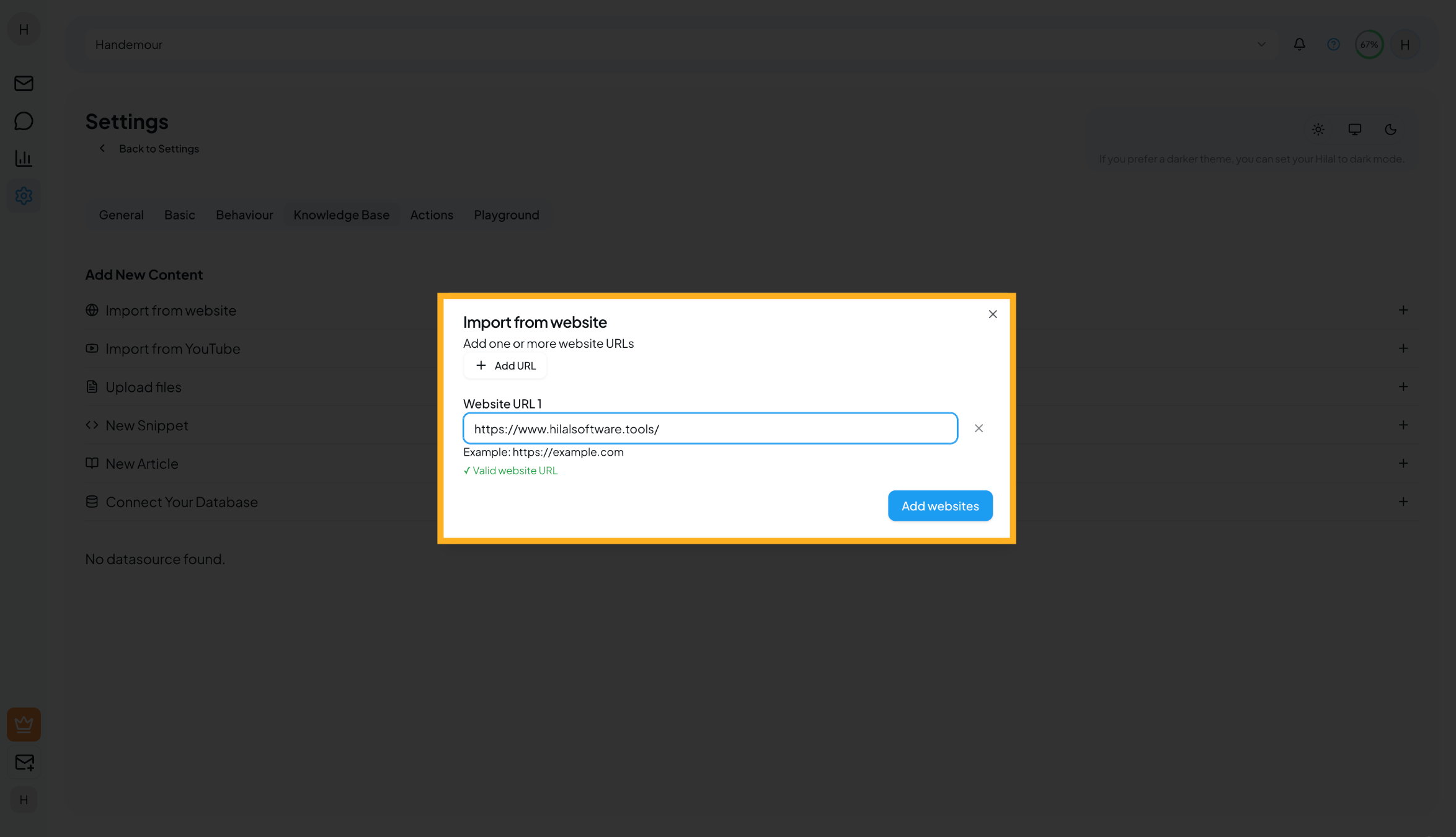
The chatbot extracts readable content from the provided URLs and trains on it.
Best for:
- Help centers
- Documentation pages
- FAQ pages
- Public product pages
Import from YouTube
Train your chatbot using YouTube videos that include captions or transcripts.
How it works:
- Click Import from YouTube
- Click Add Video to include one or more video links
- Paste the YouTube video URL
(Example:https://www.youtube.com/watch?v=dQw4w9WgXcQ) - Click Import Videos
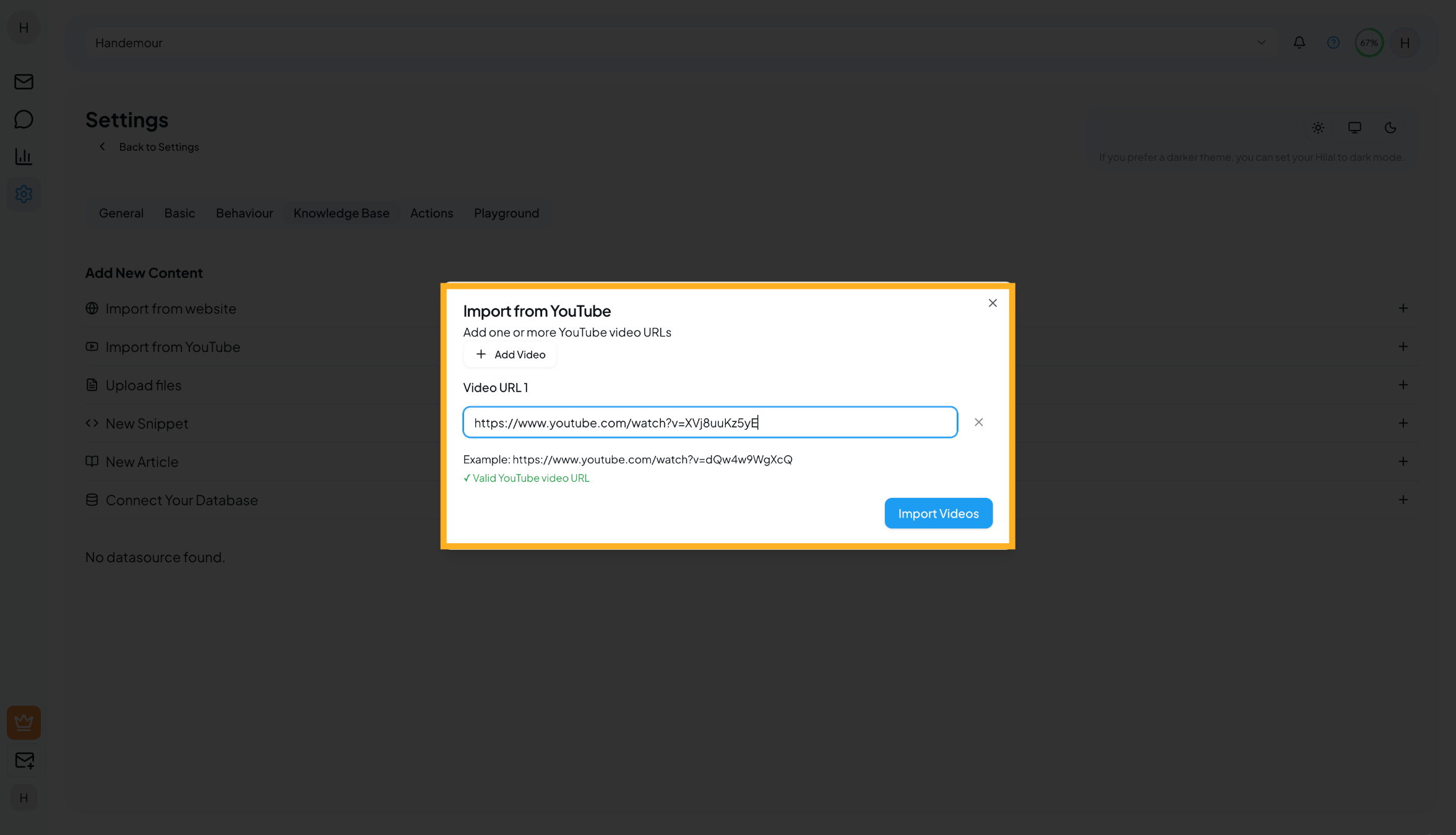
The chatbot learns from the video’s transcript and can answer questions based on its content.
Best for:
- Product demos
- Tutorials
- Training videos
Upload Files
Upload documents directly from your computer.
How it works:
- Click Upload files
- Drag and drop files, or click to select files
(Multiple files supported) - Click Upload
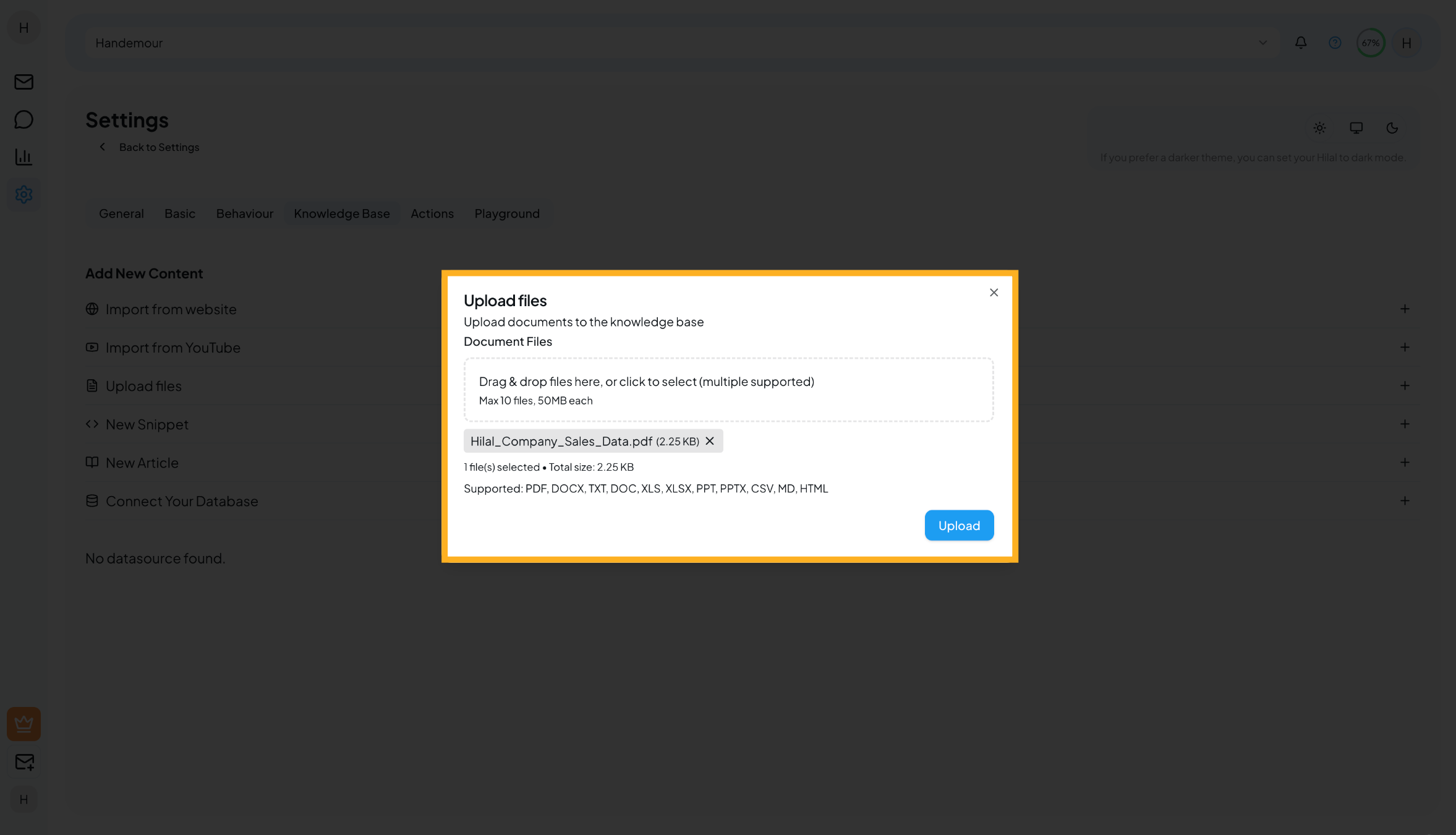
File limits:
- Maximum 10 files at a time
- Maximum 50 MB per file
Supported file types: PDF, DOC, DOCX, TXT, XLS, XLSX, PPT, PPTX, CSV, MD, HTML
Best for:
- User manuals
- Internal documentation
- Reports and presentations
- Policies and guides
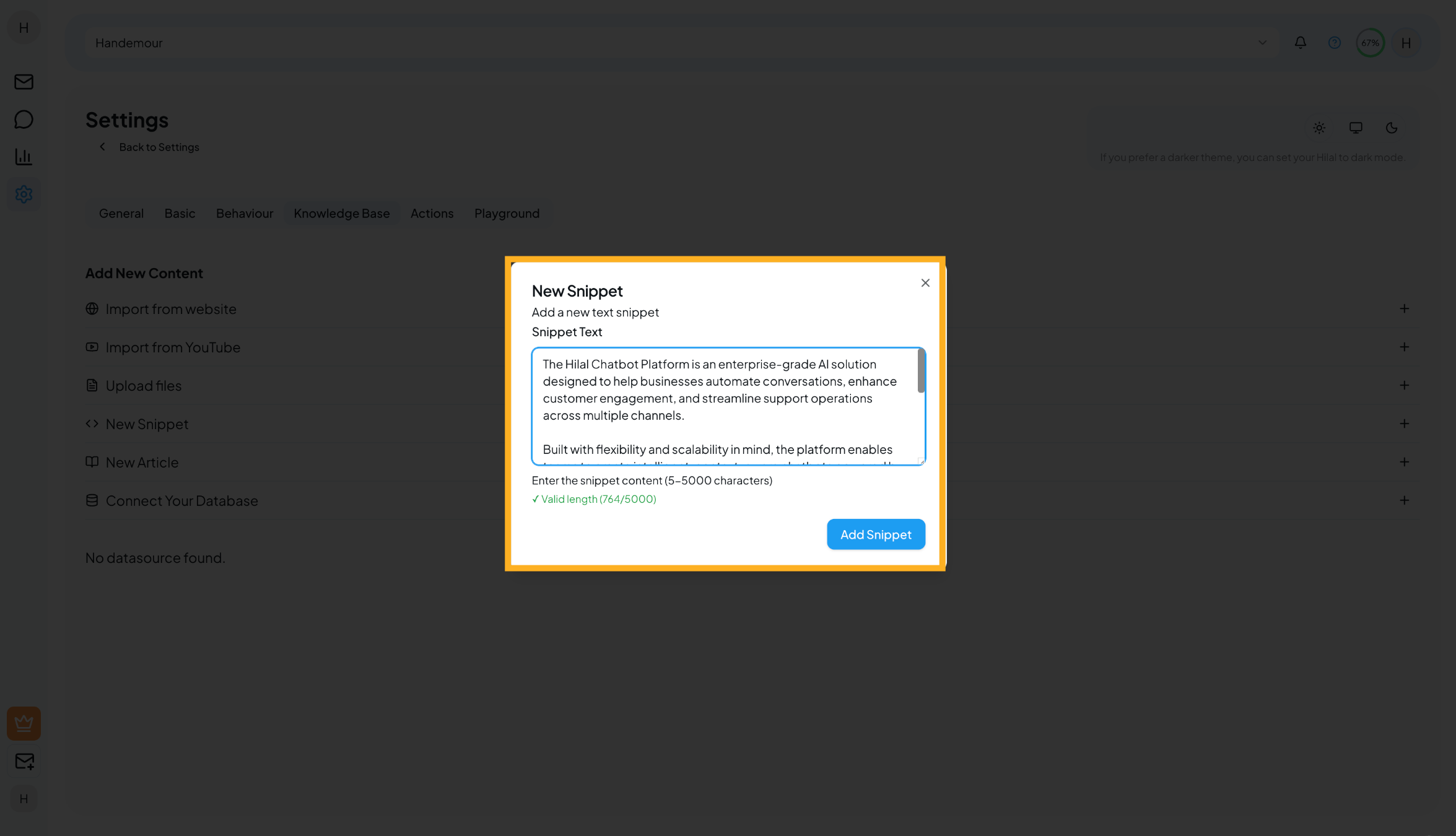
New Snippet
Snippets are short pieces of plain text.
How it works:
- Click New Snippet
- Type or paste your snippet content
(Minimum 5 characters, maximum 5000 characters) - Click Add Snippet
Best for:
- Business hours
- Contact information
- Short FAQs
- Quick reference details
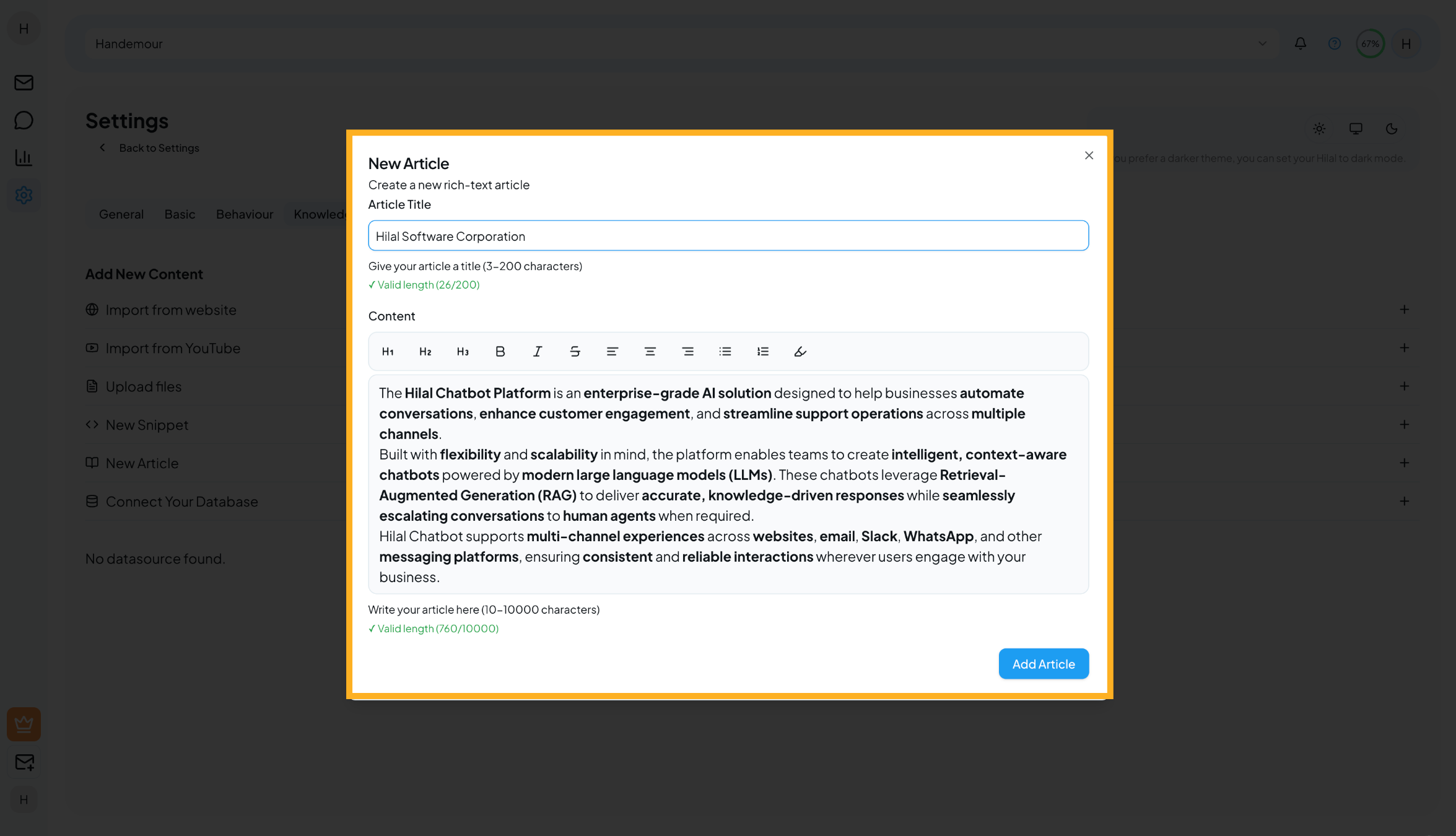
New Article
Articles are longer, structured pieces of content with formatting support.
How it works:
- Click New Article
- Enter an article title
(3–200 characters) - Write your content using the rich-text editor
(10–10,000 characters) - Use headings, lists, bold, and formatting as needed
- Click Add Article
Best for:
- Help guides
- Policies
- Step-by-step instructions
- Detailed documentation
Connect Cloud Storage
Automatically sync documents from your cloud storage.
Currently supported:
- Google Drive
How it works:
- Click Connect Your Database
- Select Google Drive
- Click Connect
- Authorize access to your Google Drive
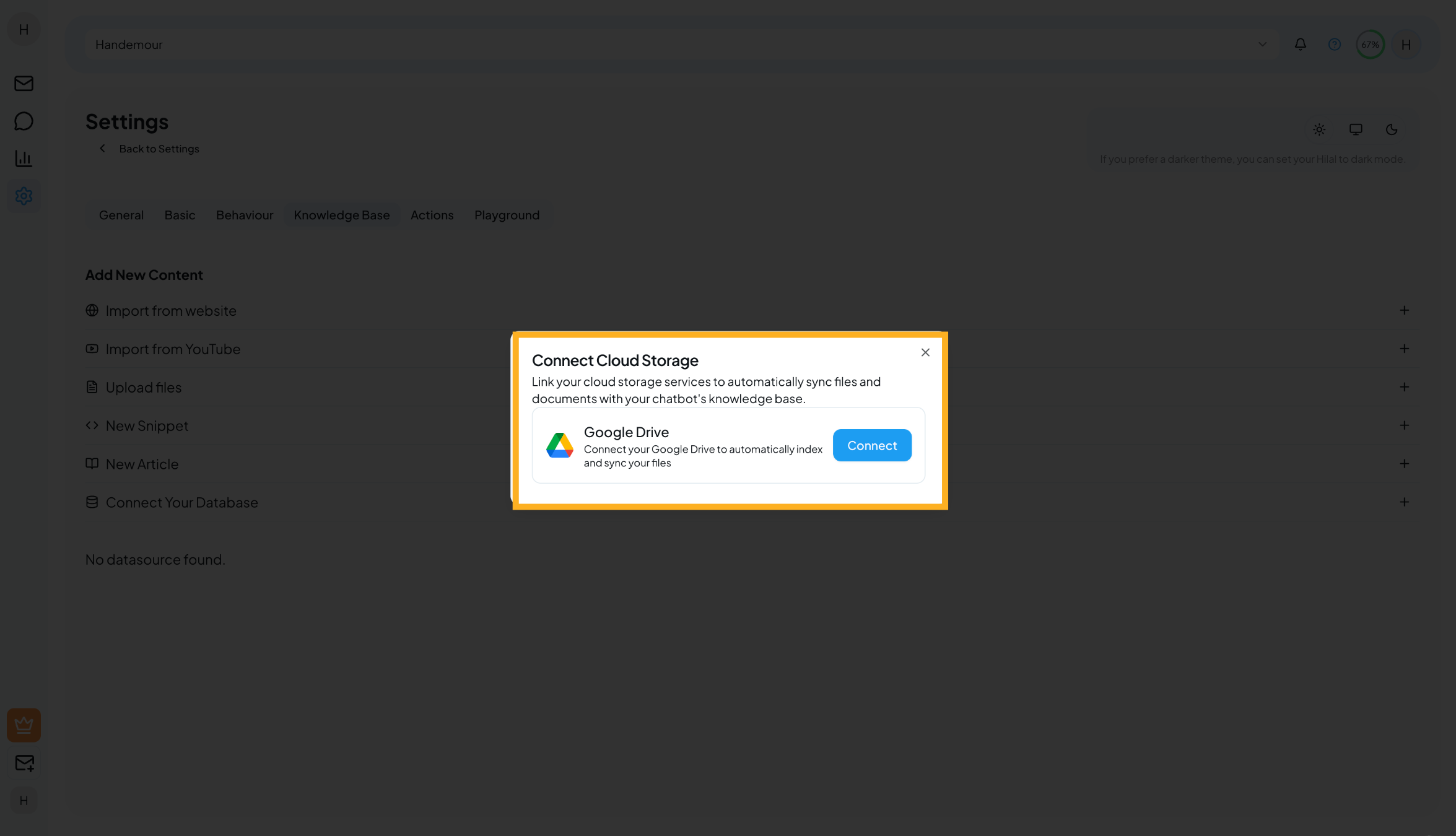
Once connected, supported files from your drive are automatically indexed and kept in sync.
Best for:
- Frequently updated documents
- Shared team files
- Living documentation
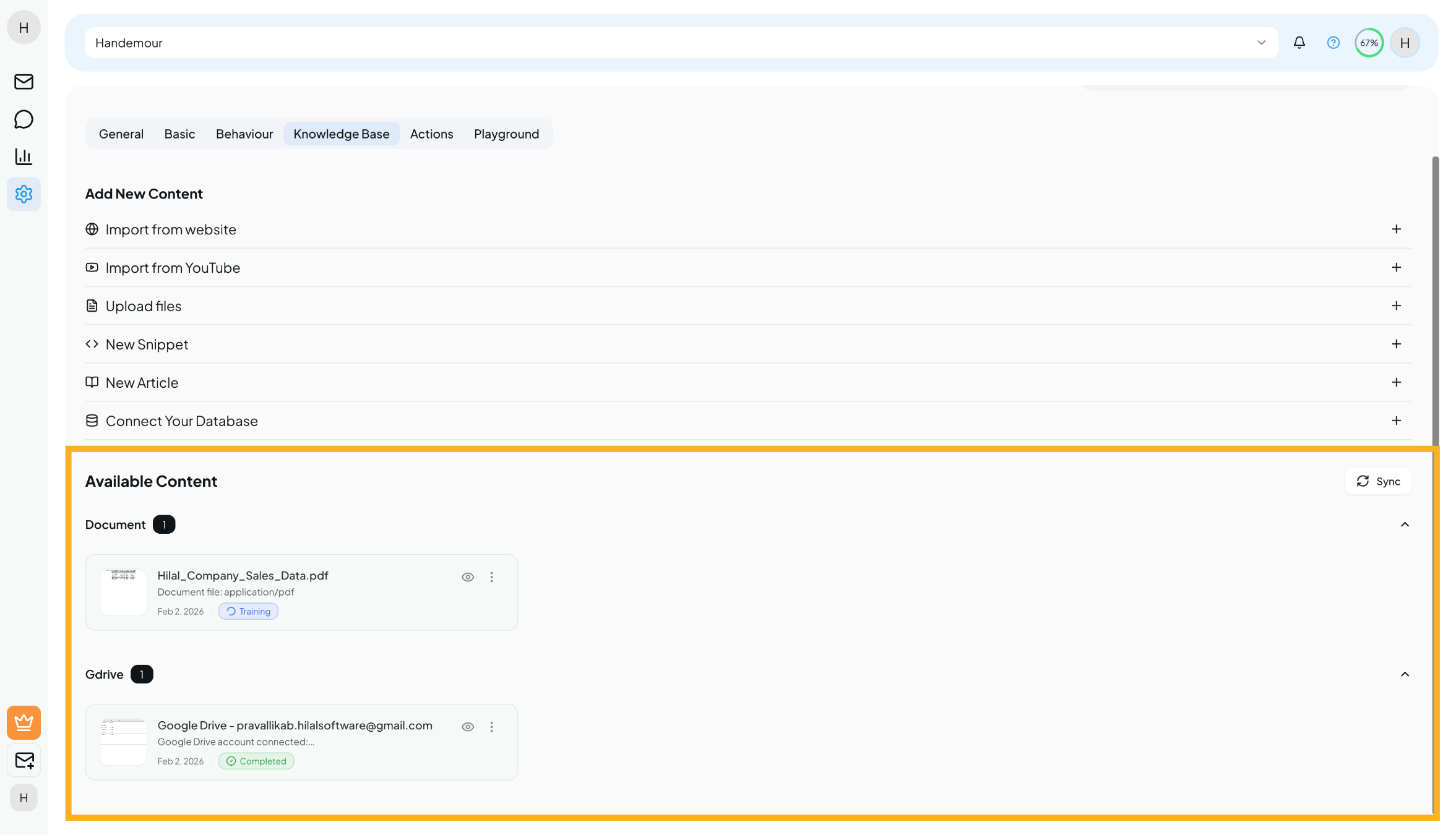
Available Content
All added content appears under Available Content.
For each item, you can:
- View content details
- See training status
- Sync content (for supported sources)
- Remove content when no longer needed
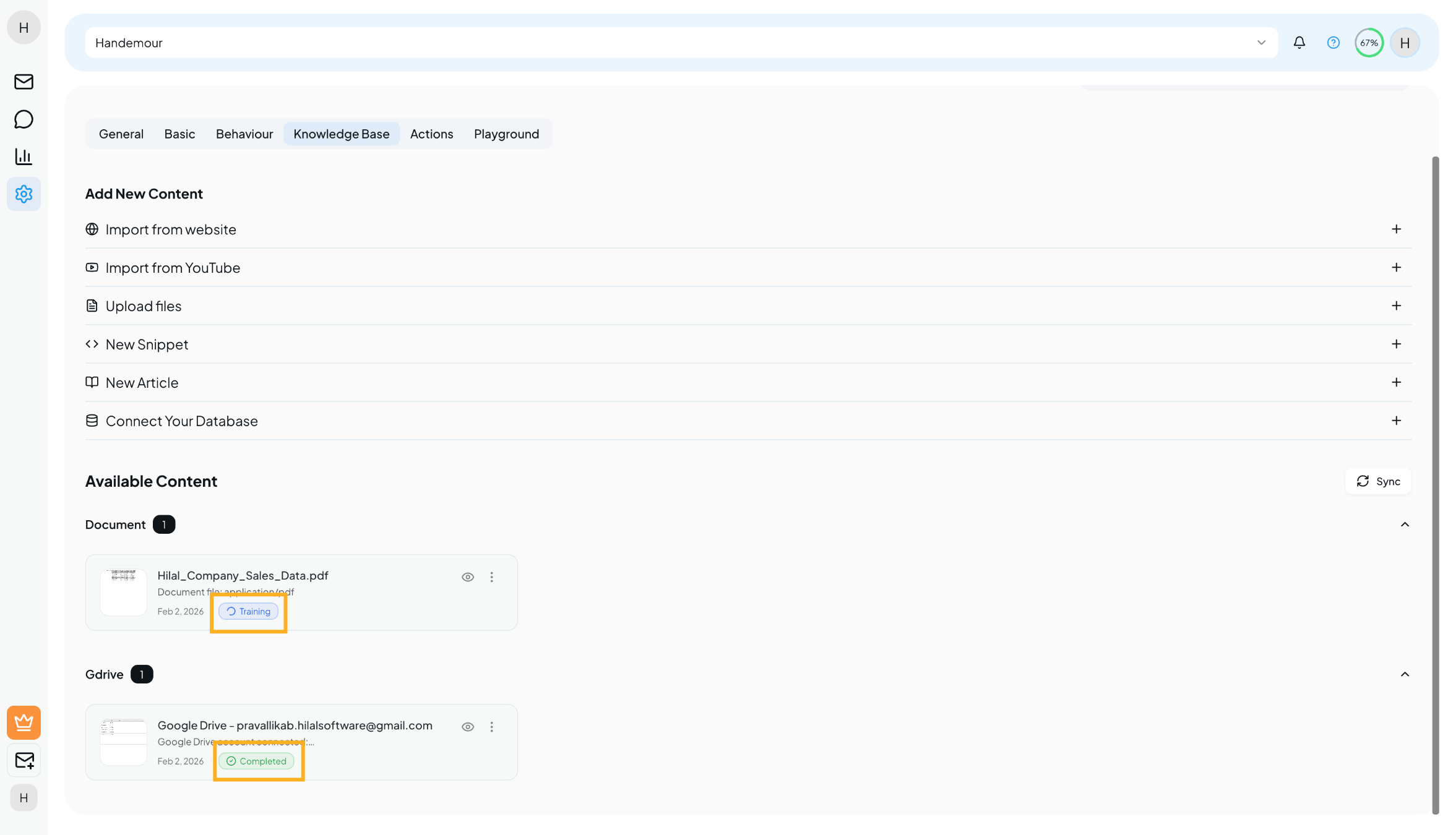
Training Status
Each content item shows its training status:
| Status | Description |
|---|---|
| Pending | Content is queued for training |
| Processing | Content is currently being trained |
| Completed | Content is ready to use |
| Failed | Training failed and needs review |
Your chatbot can use the content once the status is Completed.
Syncing Content
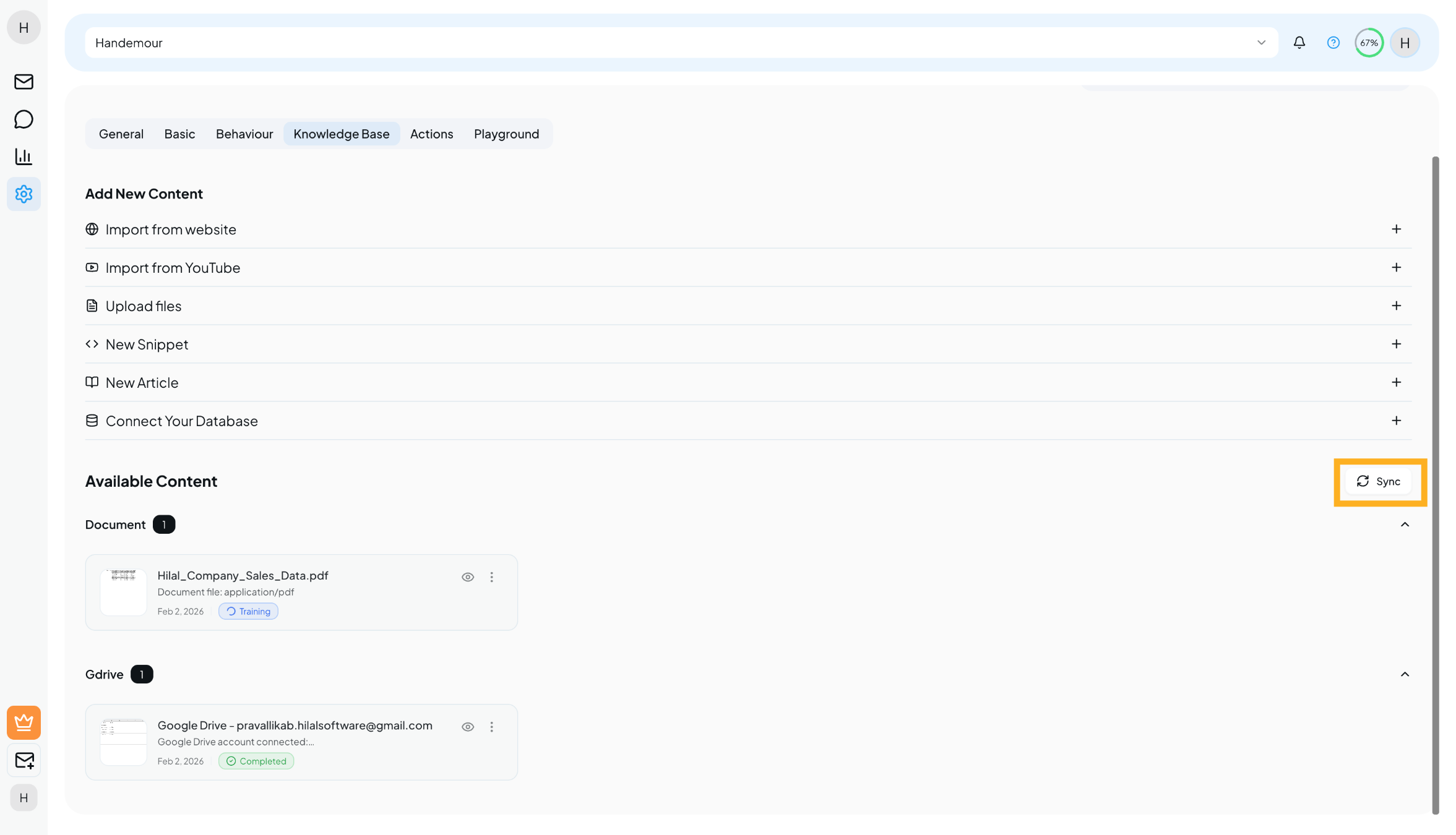
For websites and connected cloud sources, use the Sync option to:
- Fetch the latest updates
- Keep responses accurate
- Avoid outdated answers
Best Practices
- Smaller, topic-focused content performs better
- Articles and FAQs give the most accurate responses
- Test your chatbot after adding new content
- Regularly review and clean up outdated items
What’s Next?
Once your knowledge base is ready:
- Test responses in the Playground
- Ask real customer-style questions
- Improve content based on chatbot answers
A strong knowledge base makes your chatbot smarter and more reliable 🚀